

CCTV comparison guide
Wired vs wireless CCTV for business premises
Wireless describes the data connection, not necessarily the power supply. Understand both connections before deciding which system suits your building.
- Free site inspection and quotation
- Engineer led, no salespeople
- No callout charges for 3 months after installation
Before you buy
Look beyond installation convenience
A wired CCTV camera normally sends video through a data or coaxial cable. Network cameras commonly use Ethernet, which can also carry Power over Ethernet when the camera, switch and power budget support it. A wireless camera sends data over Wi-Fi or another radio link, but many models still need mains or low-voltage power.
Battery-powered cameras remove both fixed connections in some situations, although their recording behaviour, battery maintenance and response time may differ from continuously powered equipment. For business security, the key question is whether each camera will capture and retain the required event every time.
Neither approach is automatically more secure or more reliable. Cable routes can be damaged or difficult to install, while radio links can suffer interference and changing conditions. Assess the building, network and operational consequences before treating wireless as a shortcut.
Before choosing, list the camera positions that would cause the greatest problem if they stopped recording. Those locations deserve the most dependable connection available, even when installation is harder. Positions that are useful but less critical can be considered for alternative connection methods, provided the limitations are understood and the system reports faults clearly to the people who manage it.
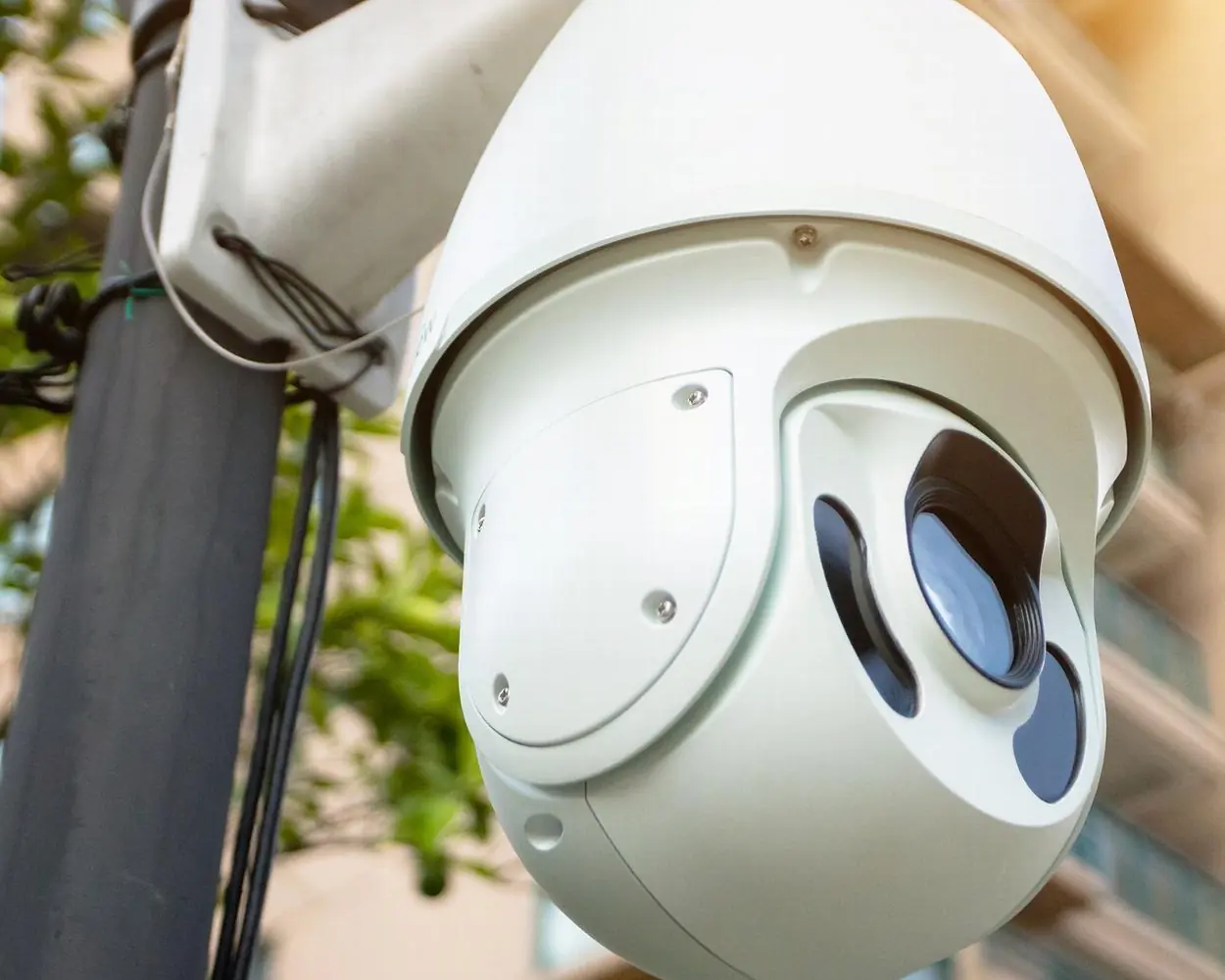
Where wired CCTV has practical advantages
A fixed cable provides a predictable path for video and, with suitable network equipment, power. It avoids dependence on Wi-Fi coverage at the camera position and supports continuous high-quality recording where the rest of the system is correctly specified. Larger installations often benefit from structured cabling that can be labelled, tested and maintained.
Installation can be more disruptive, particularly in occupied offices or finished interiors. External runs need appropriate cable and containment, and routes between buildings may require ducts or specialist links. These details should appear in the quotation rather than emerging after work begins.
Power over Ethernet
One network cable can carry data and power to compatible cameras, but switches and power budgets must support the full camera load.
Structured cabling
Clear routes and labelled connections simplify fault finding. Poorly installed plugs, damaged cable or unsuitable joints can still cause failures.
Where wireless cameras can be useful
Wireless equipment can help at a temporary location, a detached structure or a position where cable installation is impractical. It may also provide a targeted addition to an existing system. A site survey should measure the signal at the exact mounting point rather than assuming coverage from a nearby office is sufficient.
Thick walls, metal cladding, racking, vehicles and other radio equipment can affect performance. Conditions may change after commissioning, so a camera that connects successfully on day one needs monitoring for dropped connections and missing recordings. External point-to-point links are another option between buildings, but require line of sight and suitable configuration.
If a camera uses batteries, agree who checks their status and replaces or recharges them. Cold conditions and frequent activation can affect operating time. Also check whether the device records continuously, only after detection, or wakes when an app connects.
Recording, networking and cyber security
Ask where footage is stored when the connection is interrupted. Some systems record centrally and lose that period, while compatible cameras may retain clips locally until the connection returns. Remote viewing adds another dependency on the site's internet service and the configuration of the recorder or cloud account.
Wireless does not remove the need for network discipline. Use unique administrator credentials, restrict account access and keep supported firmware and apps updated. Clarify whether cameras share the business network, who manages firewall or Wi-Fi changes and what happens when the IT provider replaces equipment.
Wired network cameras need the same account and software attention. The cable protects against some radio problems, but it does not make an internet-connected system secure by default. Ownership of passwords and recovery details should be documented at handover.
- Test each proposed wireless position under normal operating conditions.
- Confirm how power reaches every camera and how battery status is managed.
- Check recording behaviour during broadband, Wi-Fi and network interruptions.
- Agree responsibility for passwords, updates and future network changes.
How to make the choice
Use wired cameras as the starting point for permanent, critical views where a reliable cable route is achievable. Consider wireless equipment for a defined exception rather than allowing it to determine the entire design. Mixed systems can work well when the recorder supports both and every camera meets the same evidence requirements.
Request a comparison based on installation work, expected recording behaviour and maintenance over the system's life. The least disruptive option on installation day is not necessarily the easiest to own. A survey should finish with a clear recommendation for each camera rather than a blanket statement that one technology is always best.
FAQs
Wired vs wireless CCTV: frequently asked questions
Do wireless CCTV cameras need electricity?
Usually yes. Wireless normally refers to video transmission. Many cameras still use a power adapter or fixed supply, while battery models need regular charging or replacement.
Can wireless cameras record without internet?
Some can record to a local recorder or memory card, depending on the design. Internet loss may still affect remote viewing and alerts, so check each function separately.
Can wired and wireless cameras share one recorder?
Sometimes, if the recorder or video management platform supports both. Compatibility, network configuration and recording capacity need checking before purchase.
Further reading
Related commercial security guides
IP vs analogue CCTV
Understand differences in camera signals, cabling, recording, expansion and existing-system upgrades without assuming newer means better.
Read the guideMonitored vs self-monitored CCTV
Compare who watches alerts, how incidents are verified and what happens next when choosing professional or in-house CCTV monitoring.
Read the guideCCTV maintenance checklist
A practical checklist for camera images, recording, storage, user access and the site changes that quietly weaken CCTV coverage.
Read the guide
Sources
External references used for this guide
Unsure which camera connections will work on site?
An engineer can inspect cable routes, buildings and network conditions before recommending a wired, wireless or mixed design.
Free site inspection
Arrange a commercial CCTV survey
Describe your buildings, any difficult camera positions and whether you already have network cabling or Wi-Fi coverage.
Or email info@msmesecurity.co.uk
- Monday to Friday: 9am to 6pm
- Saturday and Sunday: 11am to 5pm