
CCTV technology guide
IP vs analogue CCTV: a practical business comparison
The distinction is how video travels and is processed. Your existing cables, required views and support arrangements should shape the decision.
- Free site inspection and quotation
- Engineer led, no salespeople
- No callout charges for 3 months after installation
Before you buy
Understand the two system architectures
In a traditional analogue CCTV system, a camera sends an analogue video signal over coaxial cable to a recorder, which digitises it for storage and viewing. In an IP system, the network camera digitises and compresses video before sending data over a network to a recorder, server or other authorised destination.
Modern analogue products can provide much better images than older equipment, and IP cameras are available across a wide range of specifications. It is therefore too simple to describe one as old and blurry and the other as new and sharp. Compare the complete proposed design and the outcome at each camera position.
For a new installation, IP equipment often offers flexible networking and integration. For an existing site, reusable coaxial cabling and working cameras may make an analogue upgrade or staged migration worth considering. The condition and route of every cable still need testing.

Cabling, power and distance
Analogue cameras commonly use coaxial video cable with a separate power connection, although combined cable arrangements are common. Ethernet IP cameras can use Power over Ethernet when all components are compatible. Standard structured network links have design limits, so distances and switches must be planned rather than assumed.
Existing coax can be valuable where routes are concealed or cross difficult areas. Some migration equipment can carry IP signals over suitable coax, while some analogue formats support higher-resolution video over existing infrastructure. Compatibility is specific to the camera, recorder and any adapters.
A wired IP system is not the same as a collection of cameras connected casually to office Wi-Fi. It needs a deliberately designed network, enough switch and power capacity, and clear responsibility for any connection to the wider business network.
Analogue route
Often attractive where serviceable coax and compatible cameras already exist and the required images can be achieved without rebuilding the whole system.
IP route
Uses network infrastructure and can support distributed recording and integrations, with corresponding network design and cyber security responsibilities.
Images, analytics and recording options
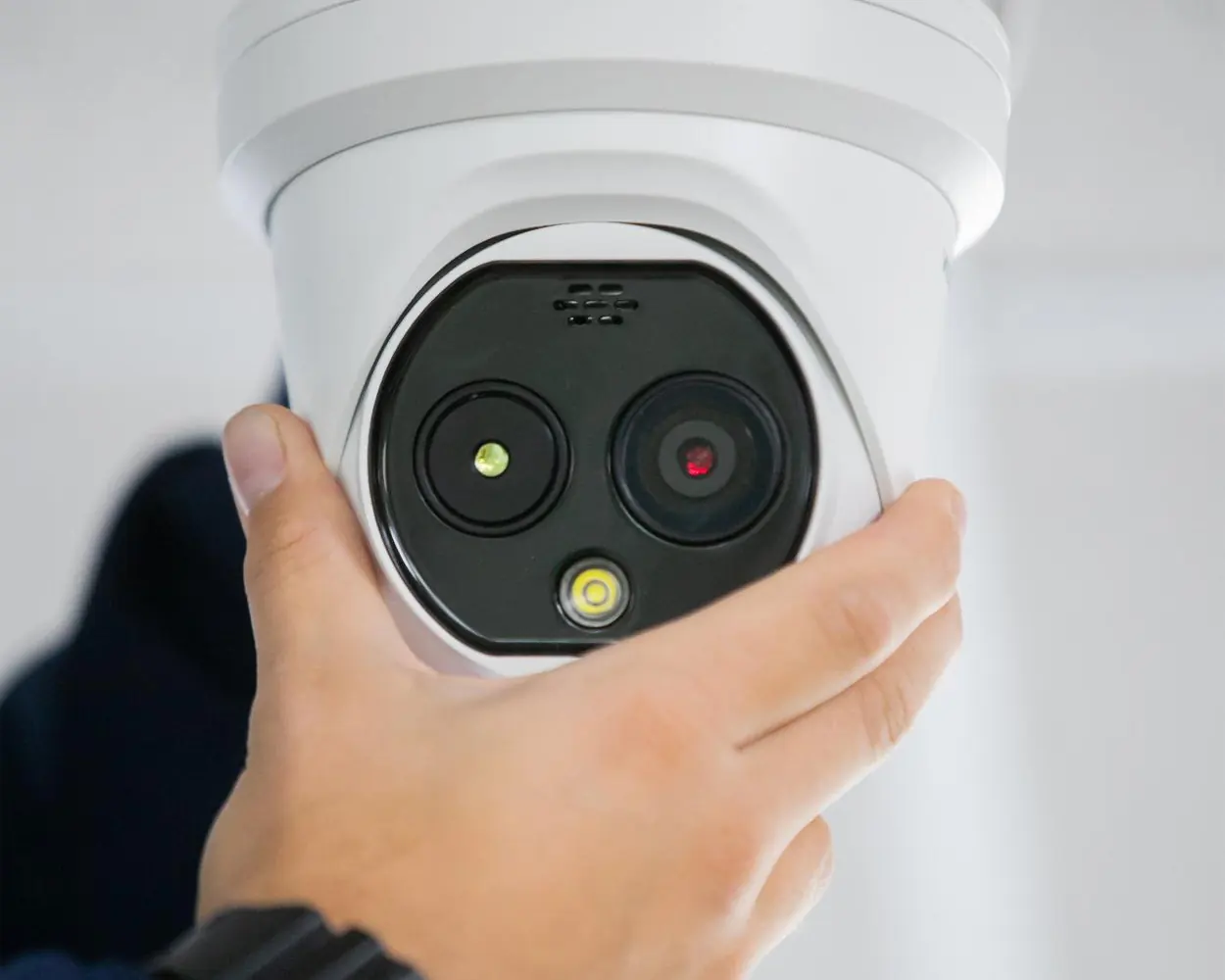
Both architectures can offer high-resolution products, but IP ranges commonly include a broad choice of multi-sensor, thermal, panoramic and analytical cameras. These are tools for particular scenes rather than reasons to replace every working camera. Check the actual recorded image, lens and night performance.
Analogue systems usually connect camera channels directly to a digital or hybrid recorder. IP systems may use a network video recorder, server-based video management software or approved local and remote storage. Ask how many channels are licensed, what happens if a server or network link fails and how recording capacity is calculated.
Higher resolution and advanced compression can change storage requirements significantly. A like-for-like camera count does not mean like-for-like disk use. Retention, frame rate, scene activity and recording schedules all need including in the comparison.
Maintenance and cyber security responsibilities
A conventional analogue system has fewer network dependencies, although cameras, power supplies, recorder disks and connections still require inspection. An IP system adds switches, addresses, user accounts and software to the maintenance picture. These are manageable tasks, but ownership must be clear.
Use supported equipment, unique credentials and controlled remote access. Agree who applies firmware and recorder updates, and whether your IT team needs to approve changes. Do not expose a recorder directly to the internet simply to make an app work.
At handover, record the administrator access arrangements, network documentation and export procedure for both types. An otherwise excellent system is difficult to manage if nobody in the organisation can retrieve evidence or replace a failed component without an unknown password.
- Test existing cable before allowing for its reuse.
- Compare real day and night images, not architecture labels.
- Include licences, switches, storage and support in the scope.
- Document administrator access and network responsibilities.
Choosing between replacement and migration
Replace the whole system when the existing equipment cannot provide the required views or reliability and the infrastructure has no useful life left. Consider a phased migration where cameras or cables remain serviceable and a hybrid recorder or compatible adapters can support a controlled transition.
A staged plan should prioritise weak images and critical blind spots, while avoiding a mixture that becomes impossible to administer. Ask which parts will remain after each phase, how users view old and new cameras, and whether future additions share one interface. The objective is a coherent final system, not permanent reliance on a complicated workaround.
FAQs
IP vs analogue CCTV: frequently asked questions
Is IP CCTV always better than analogue?
No architecture guarantees a better image. IP offers broad networking and integration options, while a suitable analogue upgrade may make good use of existing infrastructure.
Can old coaxial cable be reused for IP cameras?
In some cases, with compatible transmission equipment and a tested cable. Ordinary Ethernet connections cannot simply be attached to coax without the appropriate devices.
Does IP CCTV need the internet?
Not for basic local recording on a closed network. Internet connectivity is normally needed for remote viewing or cloud services, which should be configured securely.
Further reading
Related commercial security guides
Wired vs wireless CCTV
Compare cabling, power, reliability, network security and installation disruption before choosing a commercial camera system.
Read the guideCCTV camera types explained
Understand dome, bullet, PTZ, panoramic, thermal and number plate cameras, and where each format fits a commercial site.
Read the guideCCTV maintenance checklist
A practical checklist for camera images, recording, storage, user access and the site changes that quietly weaken CCTV coverage.
Read the guide
Sources
External references used for this guide
Considering an upgrade from analogue CCTV?
Have an engineer assess the existing cameras, cables and recording goals before choosing a replacement or migration plan.
Free site inspection
Request a CCTV upgrade assessment
Tell us the approximate age and type of your system, which cameras still work and what you need the new footage to show.
Or email info@msmesecurity.co.uk
- Monday to Friday: 9am to 6pm
- Saturday and Sunday: 11am to 5pm